Sweepwise

Free PC care that asks first.

Sweepwise clears out junk, checks that your computer is protected and speeds it up with safe settings you can undo, all in plain English. Free for everyone, kept going by people who chip in.

Windows, Linux and Mac in testing. No account, no ads, no paid version.

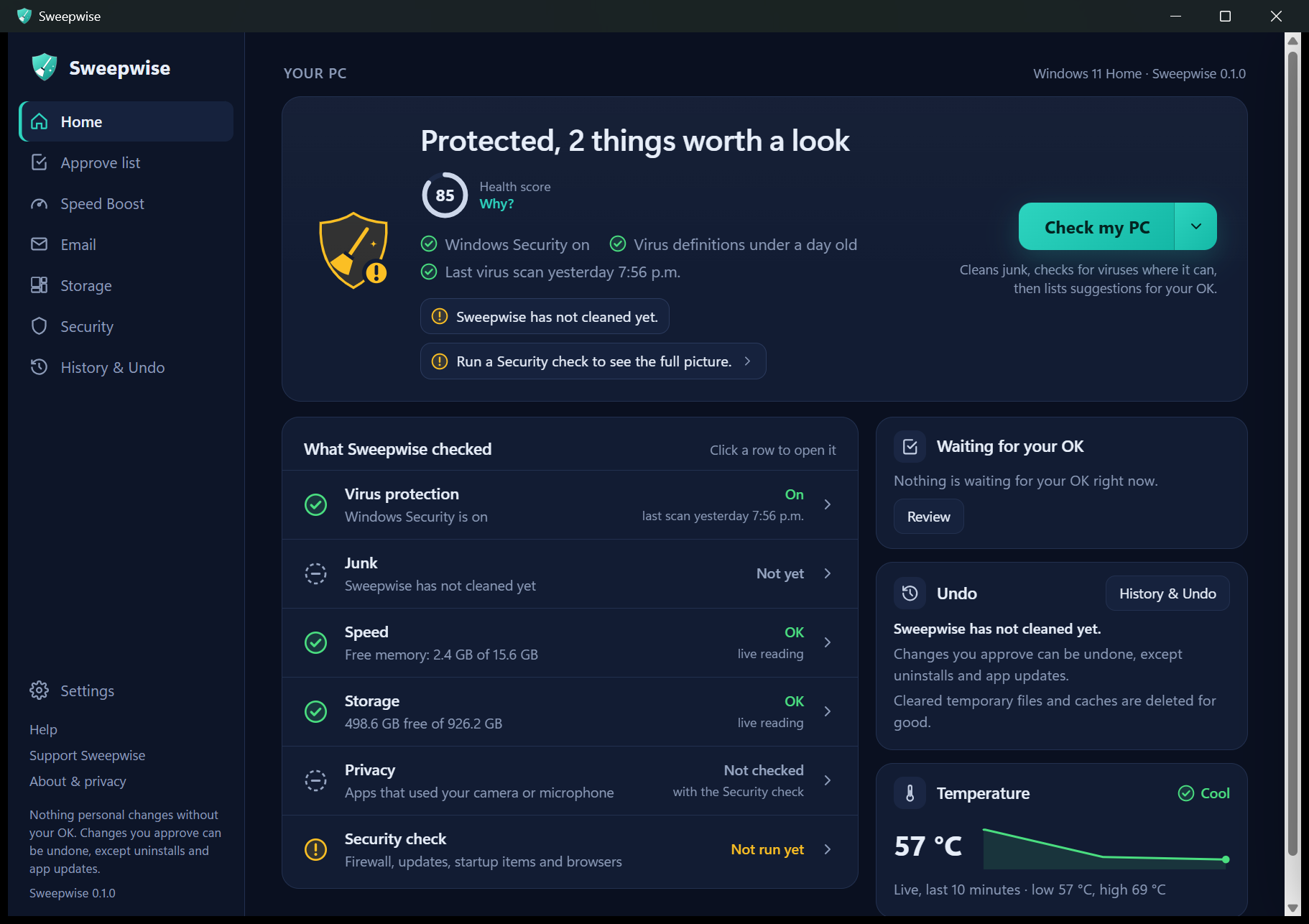
Sweepwise's home screen: a plain verdict (Protected, 2 things worth a look) with a health score of 85, the Check my PC button, a list of what Sweepwise checked, and cards for what's waiting for your OK, Undo and temperature.

Three promises

Cleaners have a bad name for deleting things people needed. Sweepwise is built the other way round.

1

Nothing personal changes without your OK

After a first look, temporary files and caches are cleared straight away. Everything else waits on the Approve list until you press Approve, and you can untick anything first.

2

Changes you approve can be undone

Your own files only move or go to the Recycle Bin, and Sweepwise never empties it. History & Undo puts them back in one click. Uninstalls and app updates are the exceptions; temporary files, caches and Deep Clean's old system files are deleted for good.

3

Nothing is collected

No account, no tracking, no analytics, no crash reports. The app has no Sweepwise servers; the optional help chat on this website is the only thing that uses one.

What it does

One button for the safe stuff, then clear suggestions you approve. Windows maintenance uses Microsoft's own tools and settings (temporary files are cleared by Sweepwise itself): no registry cleaners, no driver updaters, no tricks.

Check my PC (Scan & Clean)

Clears temporary files and caches, runs a quick virus scan with Windows Security, and gives your computer a health score with the reasons behind it.

  • The first time, it shows how much each kind of junk takes up and waits.
  • Tidies your Desktop and Downloads into folders, with your OK.
  • Finds leftovers from AI tools, programs you no longer use, and folders removed programs left behind.
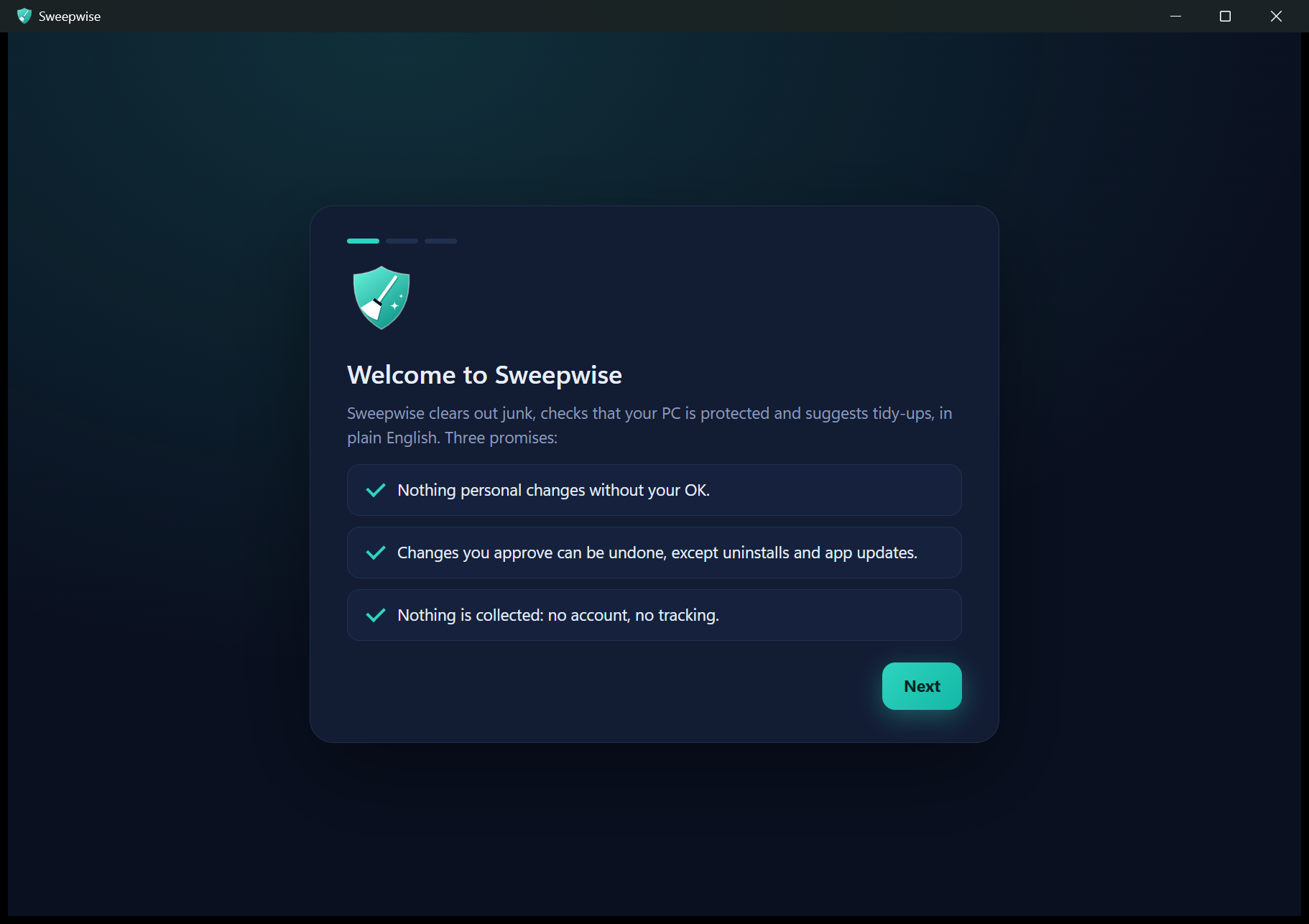
The welcome screen listing Sweepwise's three promises.

Speed Boost

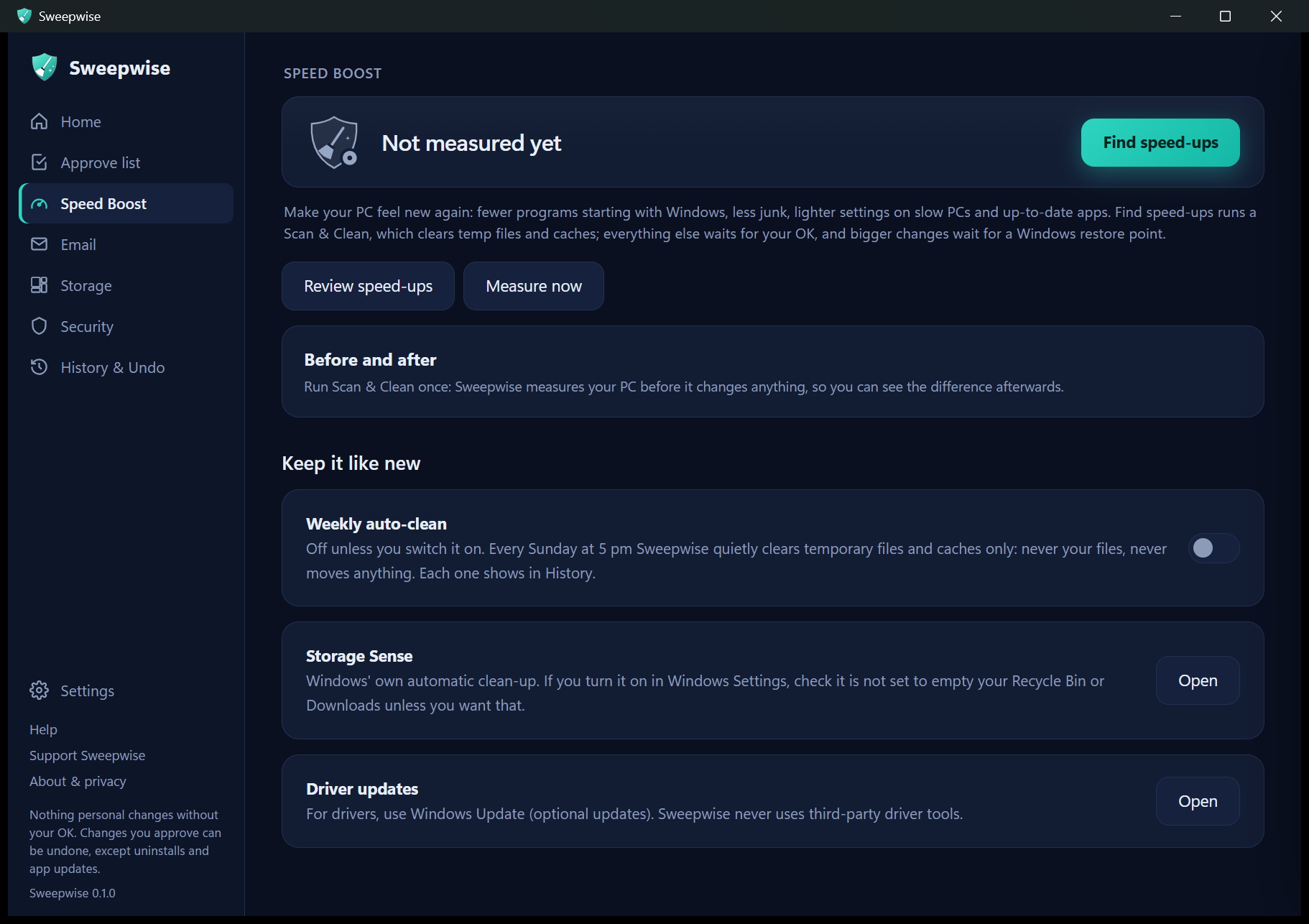
Helps a slow computer feel quicker: fewer programs starting by themselves, lighter settings on PCs with little memory, and up-to-date apps.

  • A before-and-after report shows the difference.
  • Before app updates and power or visual-effects changes, Windows makes a restore point. Every change except app updates has Undo.
  • An optional weekly auto-clean, off unless you turn it on.
The Speed Boost screen with Find speed-ups, Review speed-ups and Measure now buttons, and the weekly auto-clean switch.

Email clean-up (optional)

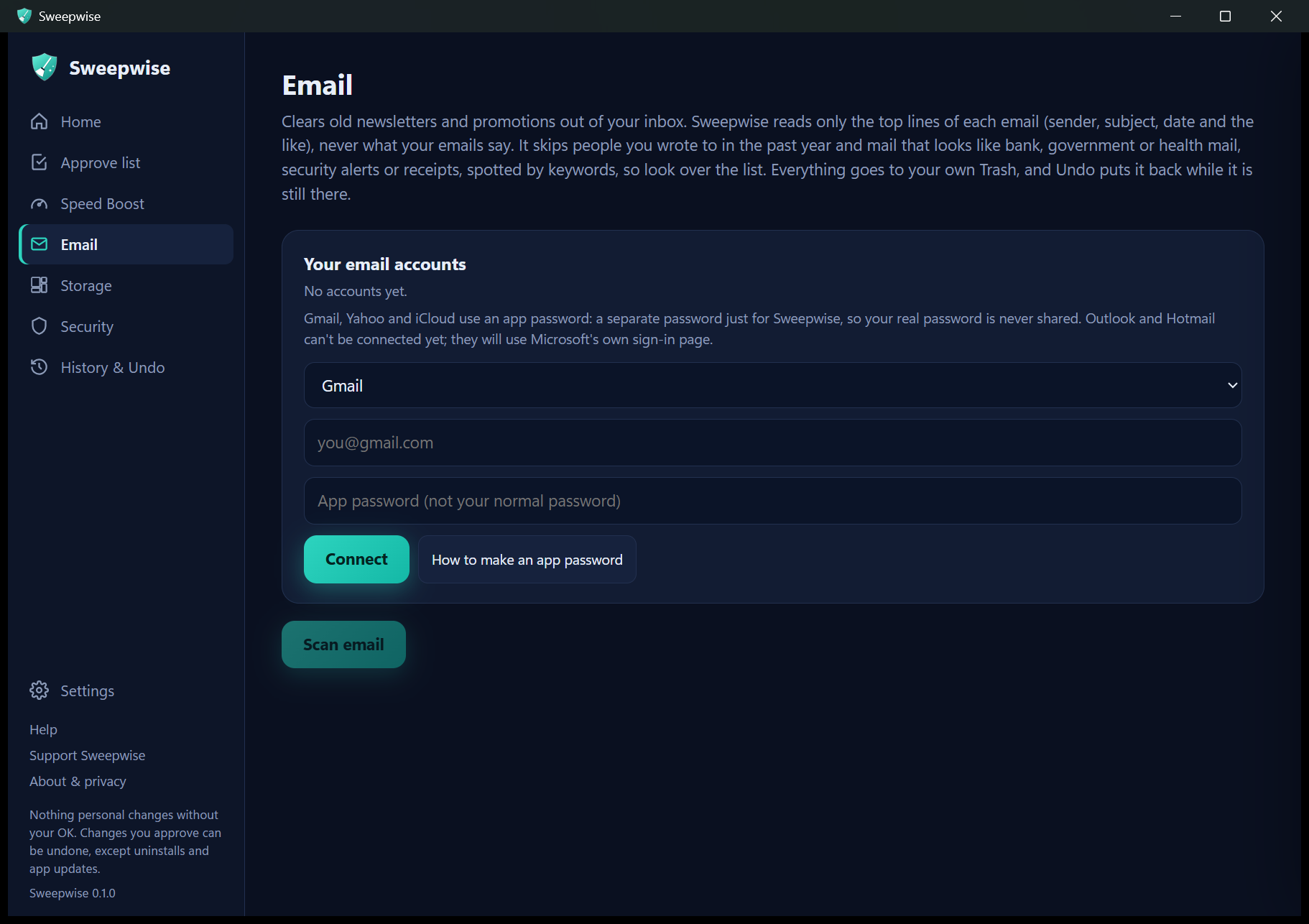
Connect Gmail, Yahoo or iCloud with an app password, a separate password just for Sweepwise. Outlook and Hotmail are coming.

  • Old bulk mail goes to your email's own Trash, with Undo.
  • Unsubscribe from real senders, in one click when the sender offers it.
  • Skips mail from people you've written to in the last year, and senders that look like banks, government, school or work (spotted by keywords, so look over the list).
The Email screen with a provider list, boxes for your email address and app password, a Connect button and a How to make an app password button.

AI helper, with your own key (optional)

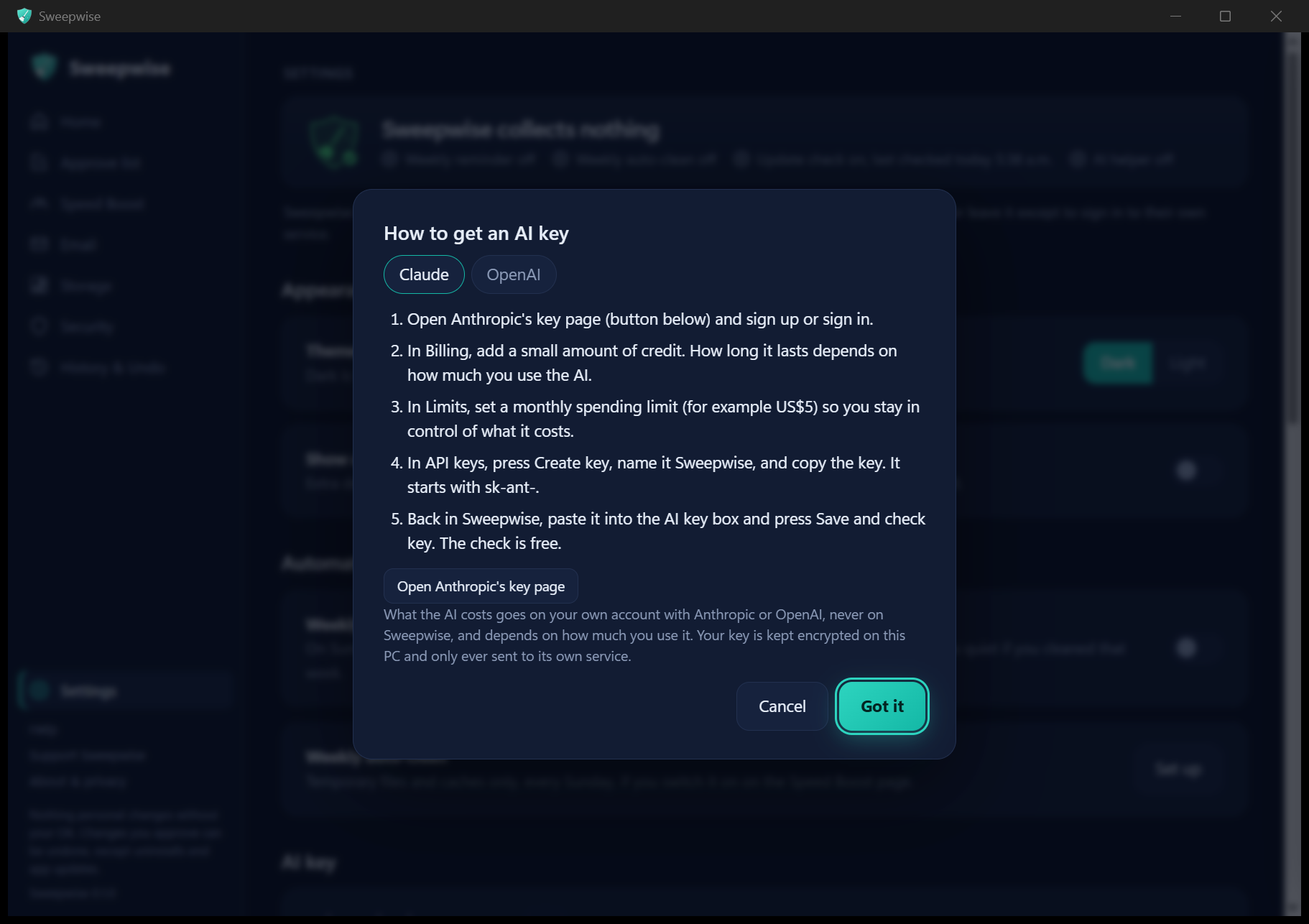
Add a Claude or OpenAI key for smarter suggestions, the AI Organizer and a chat that answers questions about your computer. A built-in guide shows how to get a key in a few minutes.

  • The AI gets names, sizes and dates, Sweepwise's own results, email senders and subjects, and what you type, never what is inside your files.
  • It learns which apps and folders you use, and sends only a short list of them with your AI requests.
  • Most uses cost a few cents on your own account (a big AI Organizer plan can cost more), never on Sweepwise.
The AI key guide with step-by-step instructions for getting a Claude or OpenAI key.

Security check

Protection, odd startup items, risky Chrome, Edge and Brave extensions, hijacked search or proxy settings and built-in safety switches.

Deep Clean

Windows' own Disk Cleanup for system files, plus Optimize Drives and update clean-up, with optional repair checks. Never empties your Recycle Bin.

Disk map & Space Finder

See what fills your drive, and find exact duplicates and big forgotten files.

History & Undo

Every approved change is written down the moment it happens, so one click puts it back (except uninstalls and app updates).

Which computers

Each system gets care the way it is done there: Windows Security on Windows, ClamAV on Linux, and XProtect (plus ClamAV if you add it) on a Mac. A few features differ by system. Real people have tested it on Windows only so far.

Windows 10 and 11

An installer from GitHub (coming soon).

In testing

Linux

.deb and AppImage, checked automatically on Ubuntu 22.04 so far.

In testing

macOS

One app for Apple Silicon and Intel Macs, checked automatically on Apple Silicon so far.

In testing

We collect nothing

Your files stay on your computer, and so do your scans and choices unless you add your own AI key. Sweepwise is open source (GPL-3.0), so anyone can check.

  • Once a day it asks GitHub for the newest version (you can switch this off).
  • Your AI key and email app passwords are kept encrypted on your computer and only ever sent to their own service.
  • Nothing else leaves your computer unless you use a feature that needs it, apart from the update checks your computer's own tools (like winget) make during a scan.
  • Read the full privacy page

Kept going by people who chip in

Supporting is optional and unlocks nothing: every feature is already free. One time or every month, at the amounts Ko-fi shows.

This isn't a charity, so support isn't tax-deductible.

Need a hand?

Something not working?

Tell me what happened and which version of Windows you have. The page is public, so leave out anything personal.

Report a problem

A question or an idea?

Ask how something works, or suggest what you'd like Sweepwise to do next.

Ask or suggest

Questions

Is it really free?

Yes: every feature, for everyone, with no ads and no paid version. It's kept going by people who choose to support it, and supporting unlocks nothing extra.

Can it delete something I need?

Safe cleaning only touches temporary files and caches in a fixed list of places. Anything personal waits on the Approve list until you press Approve, your own files only move or go to the Recycle Bin, and History & Undo brings them back.

Does it replace my antivirus?

No. On Windows, Windows Security does the virus protection; Sweepwise checks it is switched on, runs its scans and looks for things that should not be there. On Linux it uses ClamAV, which it can install with one click.

How do I get help?

Use "Report a problem" or "Ask or suggest" in the Need a hand? section above. Both open a page on GitHub, which needs a free GitHub account.

Does the help chat keep my messages?

No. Your messages go to a Sweepwise server on Cloudflare, which passes them to OpenRouter and an AI model (DeepSeek) to write the answer. Sweepwise does not store them. Please don't share personal details. If you agree to send a problem to the maker, a short summary with personal details removed is posted publicly on GitHub.

Do I need an AI key?

No. Cleaning, security, speed, storage and email all work without one. A Claude or OpenAI key adds smarter suggestions, the AI Organizer and chat, and most uses cost a few cents on your own account.